Sculpt
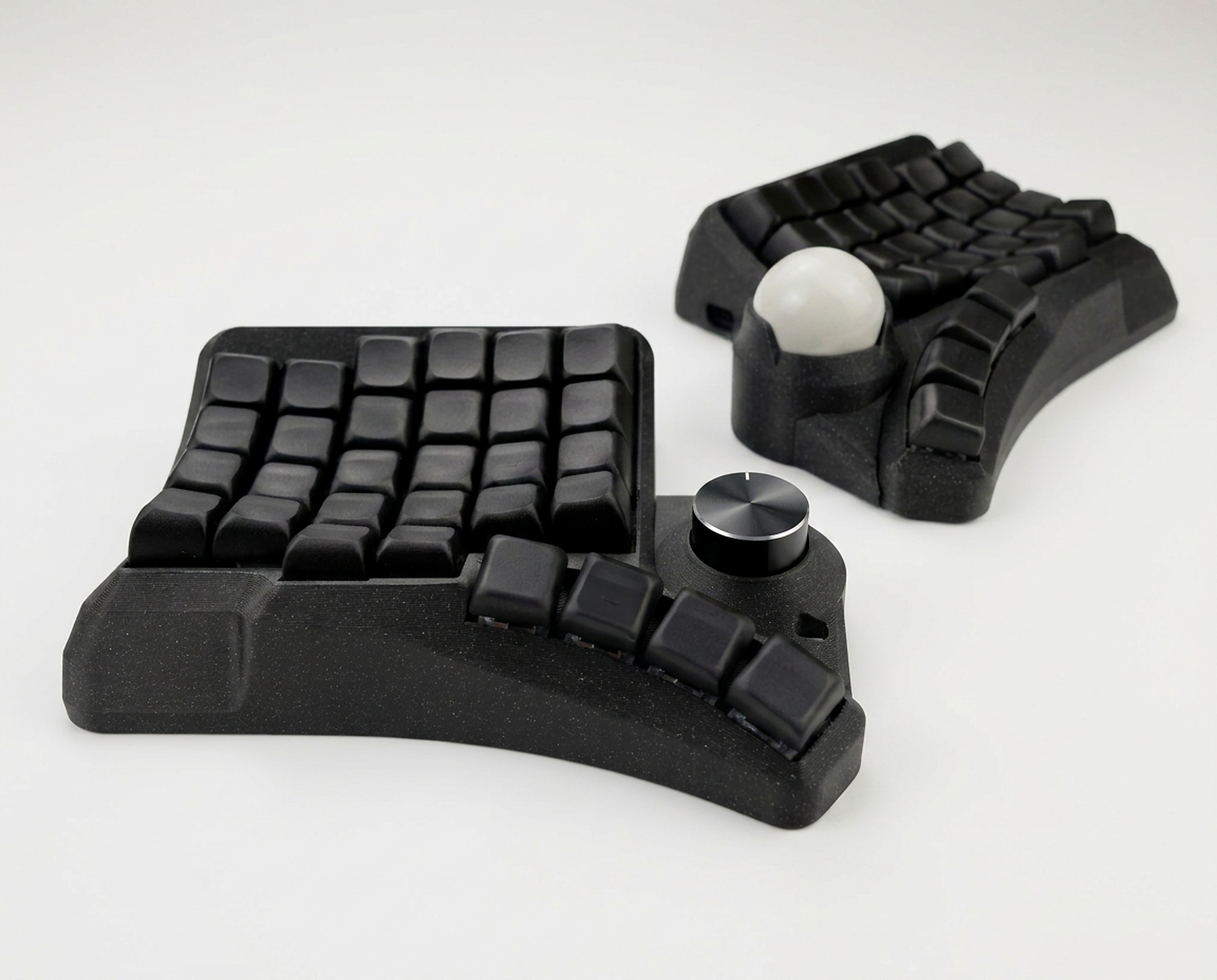
Sculpt — sculptural keycaps for ergonomic split keyboards
Installation
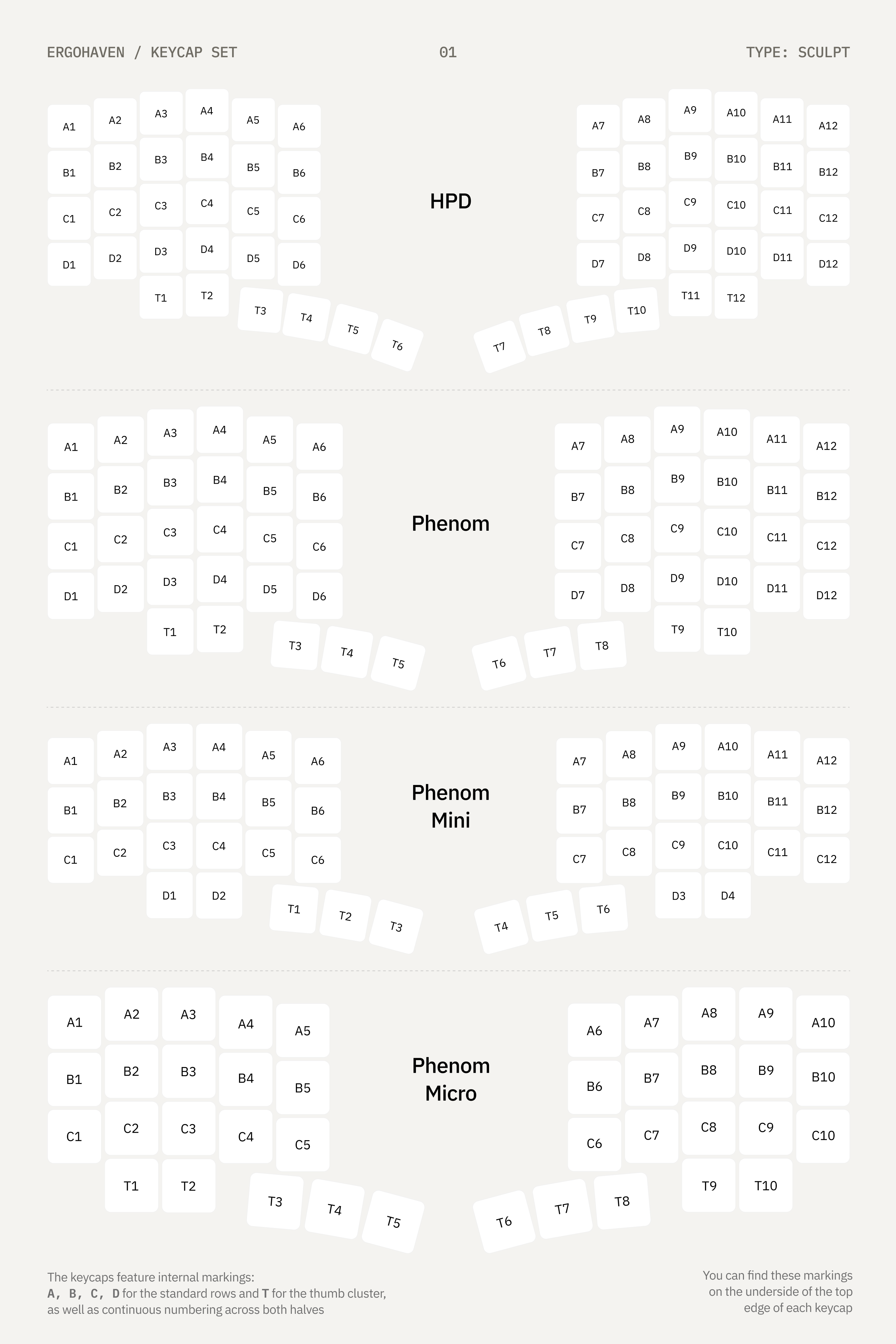
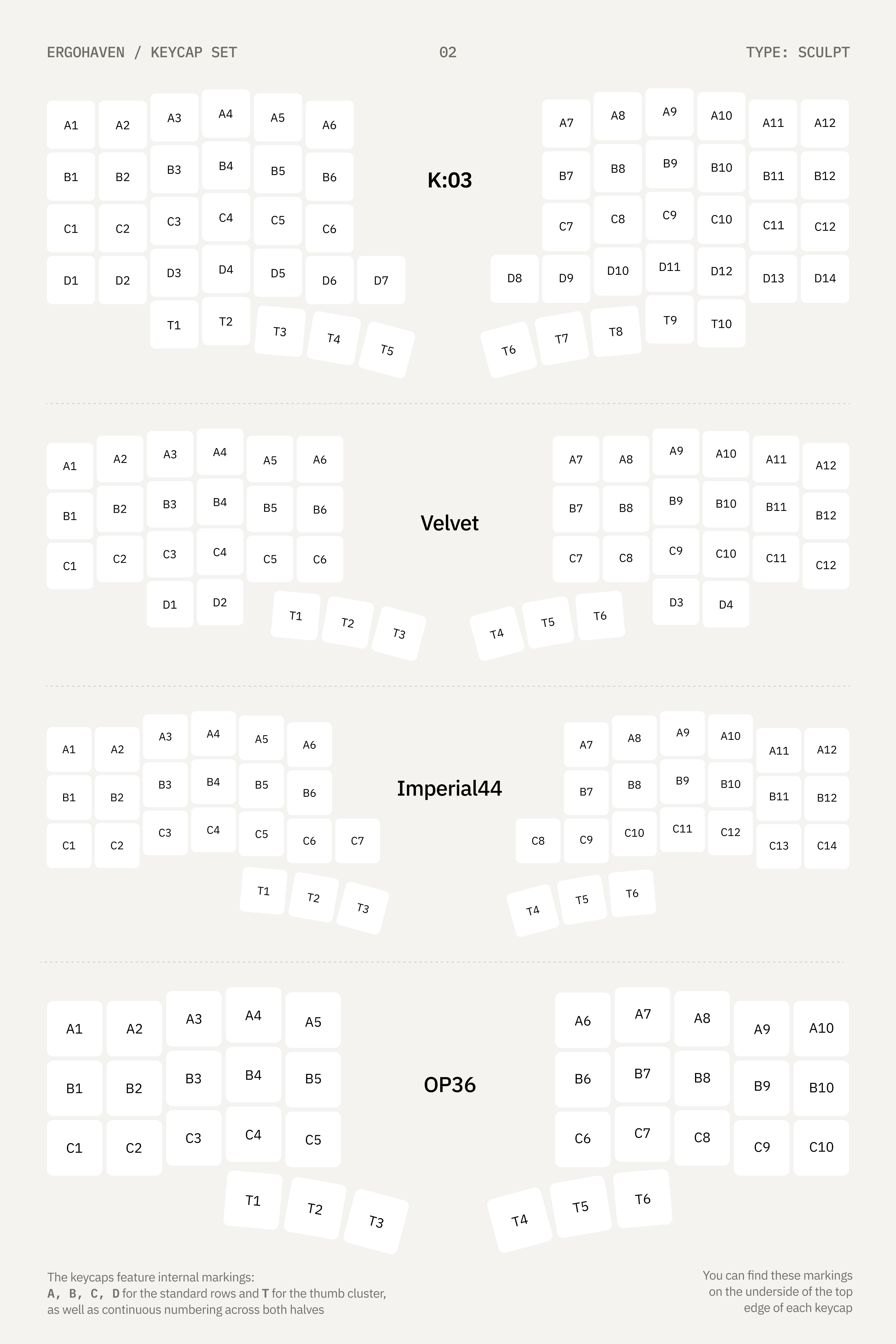
Sculpt comes as a set of keycaps for self-assembly on your keyboard. All keycaps are marked with index labels on the keycap itself in the form “XY”, where X is the letter of the row (top to bottom), Y is the sequential number of the column from left to right
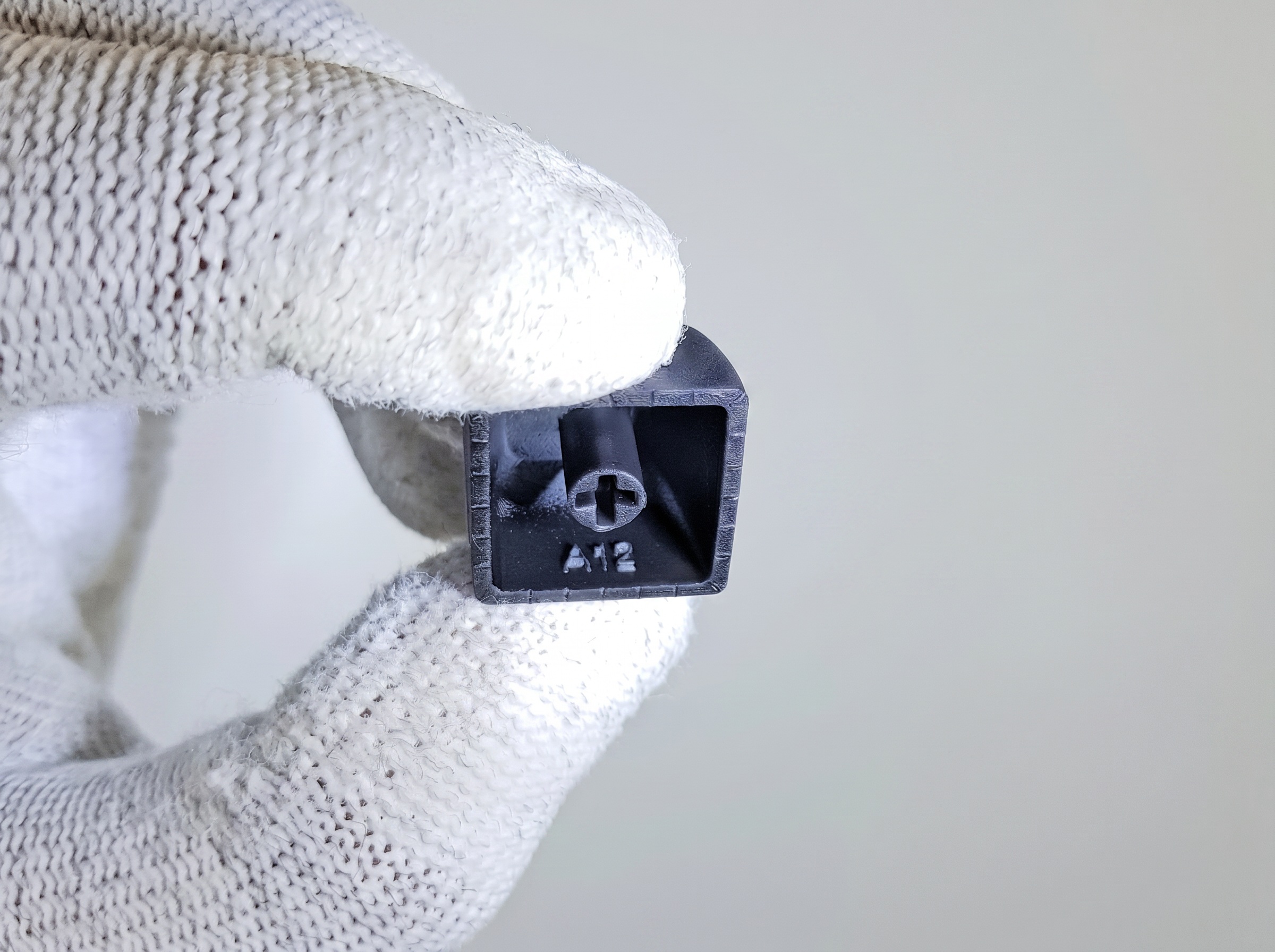
Correct keycap installation — the edge with the index label must be on top
Keycap placement on the keyboard
Troubleshooting
Keycap does not match the geometry or height
- Check the switch installation, the switch must be fully inserted
- Check that the keycap index matches its correct placement on the keyboard
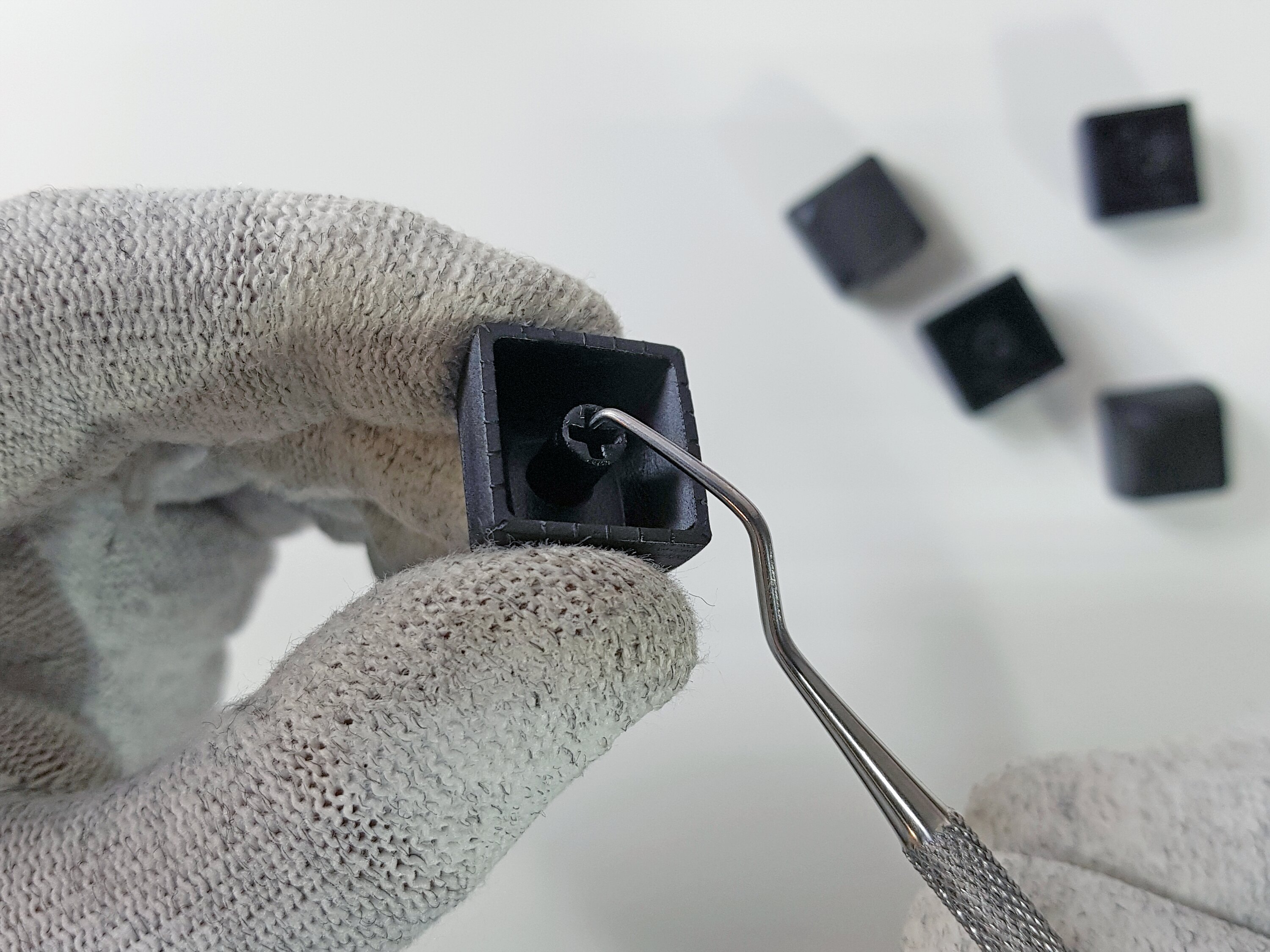
- Check the keycap stem for foreign objects, such as support remnants. Clean the stem with a thin object
Care and maintenance
Remove the keycaps
Use a special puller to avoid scratching the sides
Make a solution
Pour warm water (up to 40°C) into a container and add a couple drops of soap or dishwashing liquid
Do not use boiling water — high temperature will deform the keycap stem, and it will no longer hold on the switch
Soak
Leave the keycaps in water for 10–15 minutes
Wipe
Use a soft toothbrush or microfiber without applying strong pressure
Rinse
Rinse the keycaps in clean running water
Dry
Place the keycaps stem-down on a towel until completely dry
Do not use aggressive cleaning agents (acetone, gasoline, solvents (646, white spirit), concentrated acids and alkalis)!